
CATEGORY REFERENCE

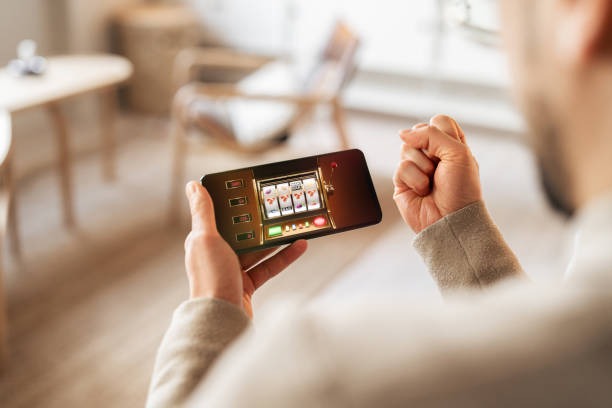
mpo889 App for Android and iOS

The mpo889 app puts our slot rooms, live tables and sportsbook on your phone in one tap. Download the build for your device, sign in with fingerprint, and...

Android APKiOS TestFlight30MB installPush alertsFingerprint login
mpo889 mpo889 App for Android and iOS
mpo889 What our app adds on phones

What our app adds on phones

We built the app so you don't lose seconds switching tabs. Slots load with a single tap, live dealer streams resume where you left off, and the betslip floats above the sportsbook so you can stack picks while scrolling. Fingerprint and Face ID skip the keyboard. Quick-deposit shortcuts pin DANA, OVO, GoPay and QRIS to the top, and notifications nudge you when

your saved markets shift.

App features that earn screen time

A short tour of what the install gets you beyond the mobile web.

Biometric sign-in

Fingerprint on Android and Face ID on iOS skip the password. You tap the icon, the lobby opens, and your saved games sit right where you left them last session.

Push alerts

Opt in and we'll ping you for live odds movement, slot feature drops and account events. Mute categories you don't want — sportsbook only, slots only, or quiet hours overnight.

Dark mode

The app reads your system theme. Late-night sessions stay easy on the eyes, and the live dealer streams shift their UI chrome so the table itself stays the brightest thing on screen.

Offline lobby preview

Browse cached slot art and game tiles even when your connection drops on the commute. The moment signal returns, the app refreshes balances and rejoins your last live table automatically.

Quick deposit shortcut

A floating chip row pins DANA, OVO, GoPay and QRIS to the home tab. Top up in three taps without leaving the lobby — receipts land in your account history instantly.

Saved games shelf

Pin slots, live tables and sportsbook markets to a personal shelf. Reorder by drag, and the app syncs the same shelf across your Android tablet and phone install.

mpo889 Install in 3 steps

Install in 3 steps

Getting the app on your phone is quick. Grab the build for your device, allow the install, and sign in. Your account, balance and saved games carry over from the web — nothing to rebuild.

  • Download the APK or TestFlight link
  • Allow install from this source
  • Open and sign in
  • Pin your payment chip

Device compatibility at a glance

Check your phone meets the minimum before you install.

Android versionAndroid 8.0 Oreo or newer. Android 11+ recommended for smoother live dealer streams.
iOS versioniOS 14 and above. iPhone 8 and newer handle the live tables without frame drops.
RAM2GB minimum, 4GB recommended if you keep the sportsbook open alongside slot rooms.
StorageAround 30MB for the install, with another 80MB of cache once you've browsed the full lobby.
Supported regionsIndonesia and other supported regions where local law permits app distribution and account access.
MOBILE READY

A walk through the app screens

Once you're in, the layout stays familiar. The home tab opens to your saved shelf and live promo board, the lobby tab splits slots and live tables into vertical scrolls...

Live lobby preview
One-tap betslip
Account access
Slot favourites shelf
Push alert centre
Dark-mode live tables
mpo889 mobile gaming
PLAYER SUPPORT

Help for app users

If something stalls on install or sign-in, reach us through the channel that suits you.

In-app support chat Tap the headset icon in the top bar. The chat opens inside the app, so you keep your session and can share screenshots without juggling browser tabs.
Email the app team Write to our app desk for install errors, signing certificates or device-specific bugs. Include your phone model and Android or iOS version so we can reproduce quickly.
Install walkthrough page A short page covers permission prompts on Android, TestFlight invites on iOS, and what to do if the APK download stops mid-way on a flaky connection.
REVIEW SIGNALS

Why the app is safe to install

A few things we do behind the scenes so the install on your phone stays clean.

Signed builds

Every Android APK is signed with our code-signing certificate. Your phone verifies the signature on install, so you know the build came from us and not a repacked clone.

No third-party stores

We distribute only from mpo889.app and Apple TestFlight. If you see our app on a random APK aggregator, it isn't ours — please report the link to our app desk.

Account recovery

Lost your phone? Sign in from the web, revoke the old device from your account settings, and the app session on that handset ends within seconds.

Encrypted sessions

Traffic between the app and our servers runs over TLS 1.3. Your login token sits in the secure enclave on iOS and the keystore on Android — never in plain storage.

Permission minimalism

The app asks for notifications, biometrics and storage for cached art. No contacts, no SMS, no location tracking — you can audit the list in your phone settings any time.

Update channel

Updates ship through the app itself. You get a prompt, tap install, and the new build replaces the old without losing your saved shelf or sign-in.

App vs mobile browser

Both work — here's what the install changes.

Sign-in speed
Browser asks for your password every time the cookie expires. The app uses fingerprint or Face ID, so you're inside the lobby in under two seconds from a cold open.
Live dealer streams
The app holds the stream when you switch apps and resumes the table on return. Mobile browsers usually drop the connection and reload the lobby from scratch.
Push notifications
Only the app can ping you for odds shifts, slot feature drops or account events. The browser can't push anything once you've closed the tab.
Betslip handling
App keeps the betslip floating above the sportsbook on a swipe. Browser users scroll back to the top each time they want to add or remove a pick.
Data usage
The app caches game art and lobby tiles, so repeat sessions burn less mobile data. The browser refetches assets every time you reopen the page.
Updates
App updates ship in the background through our channel. Browser users get changes instantly but lose any benefit from cached layouts and offline previews.
SERVICE CONTEXT

Six things our app does well

The shortlist of what the install actually delivers on your phone.

One-tap lobby Open the app and the lobby is already drawn. No...
Live table resume Step away to take a call and the live dealer...
Slot feature alerts Opt in for the slots you follow and we'll nudge...
Betslip pinning Stack sportsbook picks across markets without losing your place. The...
Quick top-up DANA, OVO, GoPay and QRIS sit in a chip row...
Account control Manage sessions, revoke old devices and update your sign-in method...

App questions we hear most

Straight from this page. Android pulls a signed APK from mpo889.app, and iOS opens our TestFlight invite. We don't list on third-party APK sites, so ignore mirrors you find elsewhere.

No. The download is free, the install is free, and the app itself carries no subscription. You only fund your account when you're ready to play, using DANA, OVO, GoPay or QRIS.

Yes. Sign in with the same credentials you use on mpo889.app. Your balance, saved games, betslip history and verification status all carry across — there's nothing to rebuild on the phone.

Yes. After your first sign-in the app offers to enable biometrics. Android uses your fingerprint sensor, iOS uses Face ID or Touch ID, and you can turn it off any time in settings.

Android may flag installs from outside the Play Store. Approve our domain once in your security settings, then retry the install. The walkthrough page covers the exact prompt wording per Android version.

The install is around 30MB. After browsing the lobby the cache grows to roughly 80MB. Live dealer streams use the most data — about 150MB an hour on standard quality.

The app checks for updates on launch and prompts you when a new build is ready. Tap install and the new version replaces the old one in seconds without touching your saved shelf.